








|
|
||||||
|
||||||
SP5000 Series Features |
||||||
Valuable information in the right format |
||||||
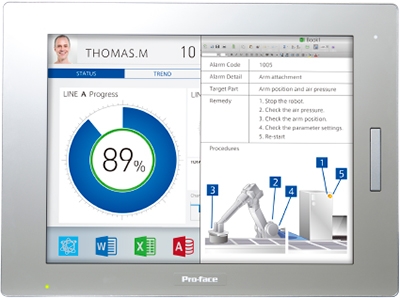
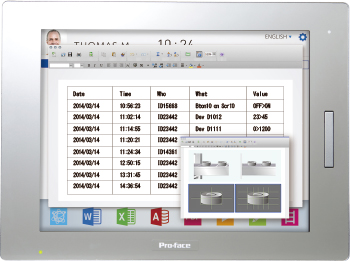
Use Windows Applications via the On-Site Smart PortalBox:
Open
Power
Standard
Display:
Premium
Advanced
|
||||||
 |
||||||
Utilize Your Own ApplicationsBox:
Open
Power
Standard
Display:
Premium
Advanced
|
||||||
 |
||||||
Dedicated launcherBox:
Open
Power
Standard
Display:
Premium
Advanced
|
||||||
 |
||||||
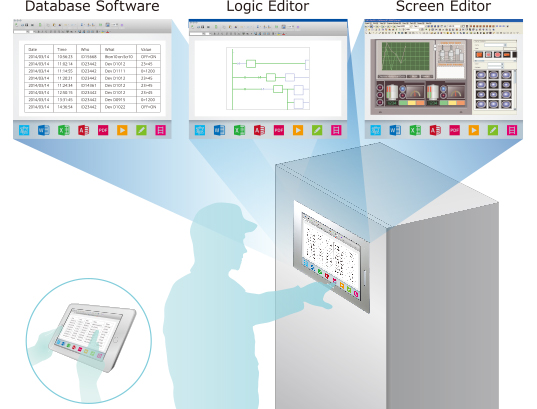
Use On-Site Smart Portal to Perform MaintenanceBox:
Open
Power
Standard
Display:
Premium
Advanced
|
||||||
 |
||||||
Improved debugging efficiencyBox:
Open
Power
Standard
Display:
Premium
Advanced
|
||||||
 |
||||||
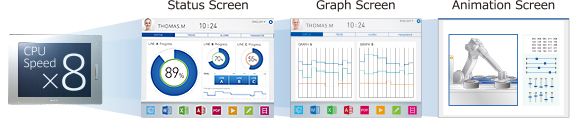
Use Even More Information in High-Speed ProcessingBox:
Open
Power
Standard
Display:
Premium
Advanced
|
||||||
 |
||||||
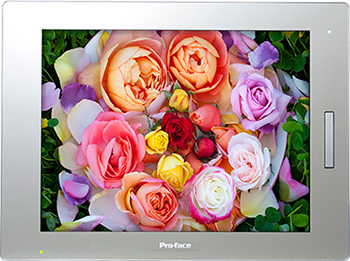
Crisp displayBox:
Open
Power
Standard
Display:
Premium
Advanced
|
||||||
 |
||||||
Wide displayBox:
Open
Power
Standard
Display:
Premium
Advanced
|
||||||
 |
||||||
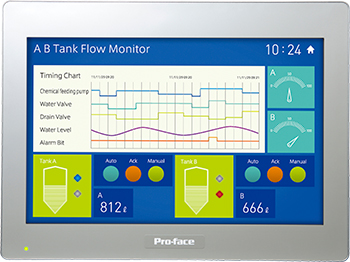
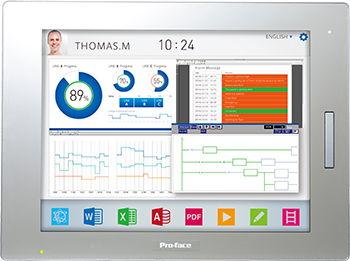
Large displayThe largest 19-inch (1366 x 768) of SP5000 series can show lots of information on a screen. A wide selection of sizes from 7 to 19-inch display is available.
|
||||||
 |
||||||
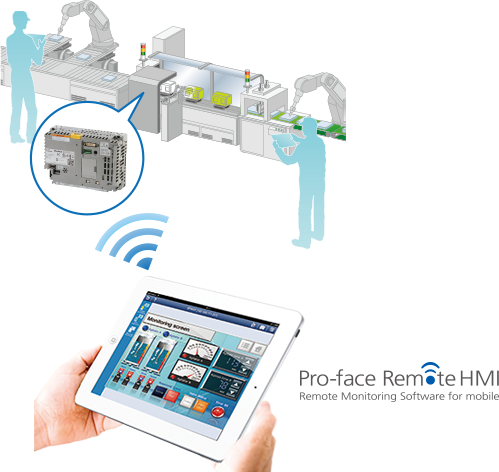
Tablet-based on-demand HMIBox:
Open
Power
Standard
Display:
Premium
Advanced
|
||||||
 |
||||||
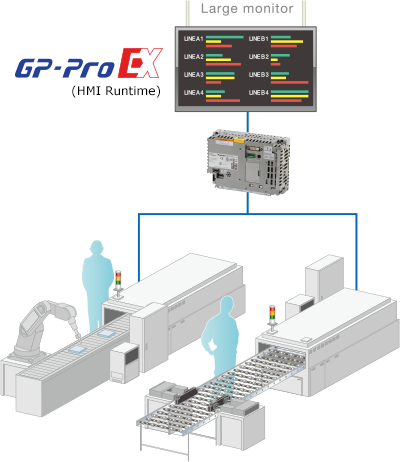
HMI for ANDON (Large-sized monitor)Box:
Open
Power
Standard
Display:
Premium
Advanced
|
||||||
 |
||||||
Bring your factory closer to your office |
||||||
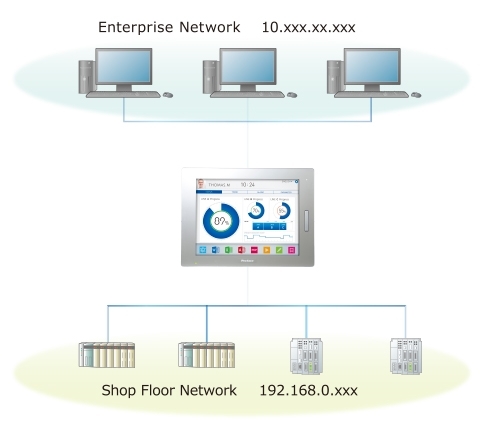
Connect Different Networks after Securing SafetyBox:
Open
Power
Standard
Display:
Premium
Advanced
|
||||||
 |
||||||
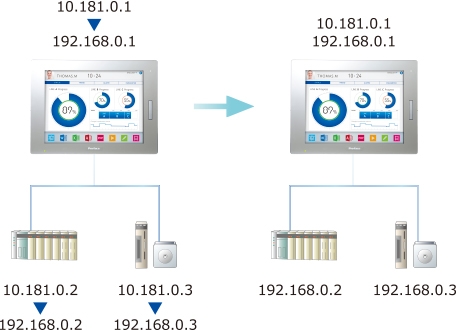
Network ModularityBox:
Open
Power
Standard
Display:
Premium
Advanced
|
||||||
 |
||||||
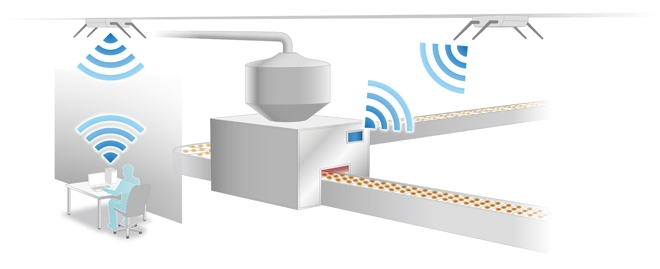
Reduce cable-wiring timeBox:
Open
Power
Standard
Display:
Premium
Advanced
|
||||||
 |
||||||
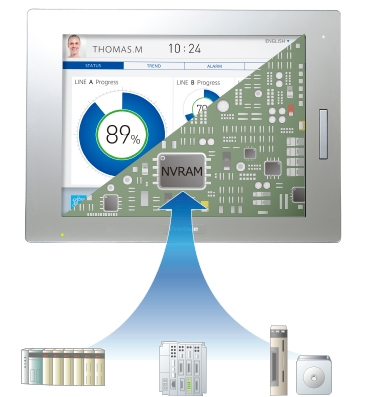
Protects system even during a sudden power interruptionBox:
Open
Power
Standard
Display:
Premium
Advanced
|
||||||
 |
||||||
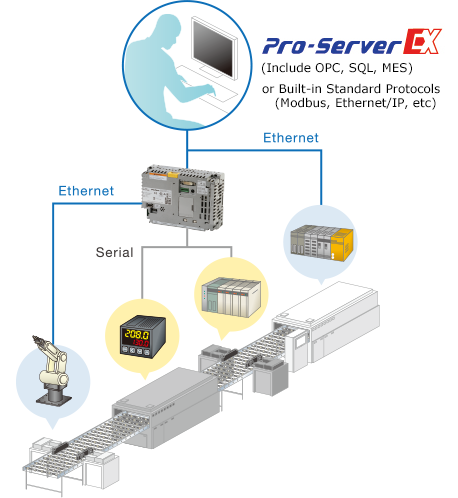
Merge data from different devicesBox:
Open
Power
Standard
Display:
Premium
Advanced
|
||||||
 |
||||||
Simple to use - any time, any place |
||||||
Supports Flexible DesignsBox:
Open
Power
Standard
Display:
Premium
Advanced
|
||||||
 |
||||||
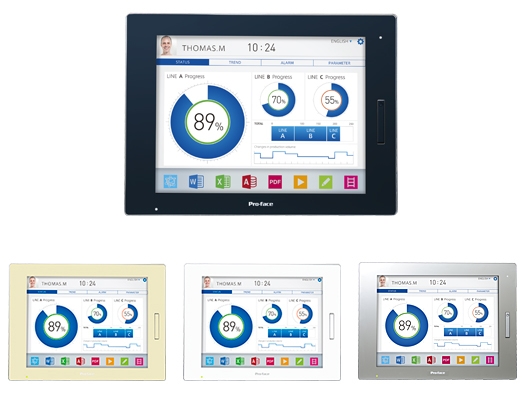
Select a front panel color that suits on-site equipmentBox:
Open
Power
Standard
Display:
Premium
Advanced
|
||||||
 |
||||||
Sound audio alarms on external speakersBox:
Open
Power
Standard
Display:
Premium
Advanced
|
||||||
 |
||||||
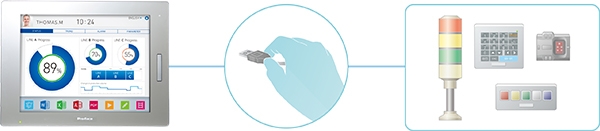
Expand functions with a single USB cableBox:
Open
Power
Standard
Display:
Premium
Advanced
|
||||||
 |
||||||
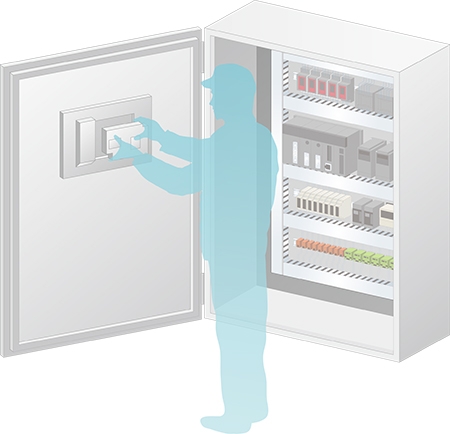
Eliminate maintenance tasks and costsBox:
Open
Power
Standard
Display:
Premium
Advanced
|
||||||
 |
||||||
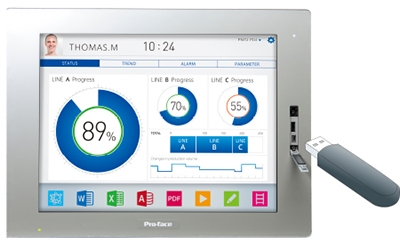
USB Front InterfaceBox:
Open
Power
Standard
Display:
Premium
Advanced
|
||||||
 |
||||||
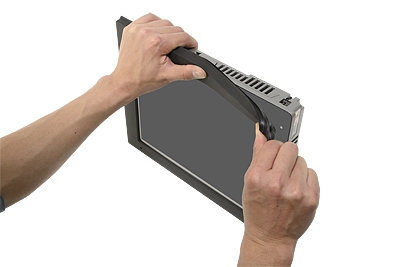
Integrated Mounting BracketBox:
Open
Power
Standard
Display:
Premium
Advanced
|
||||||
 |
||||||
Easily bring wireless environment with a displayBox:
Open
Power
Standard
Display:
Premium
Advanced
|
||||||
 |
||||||
Use in a variety of locations around the worldBox:
Open
Power
Standard
Display:
Premium
Advanced
|
||||||
 |
||||||
Suitable for use in scenarios with sanitation requirementsBox:
Open
Power
Standard
Display:
Premium
Advanced
|
||||||
 |
||||||
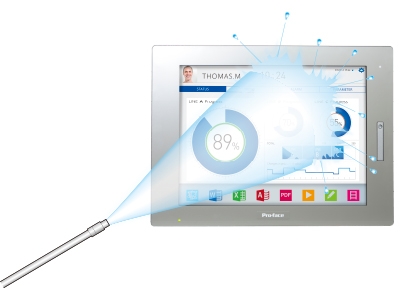
Protection from Chemical and Oil mistBox:
Open
Power
Standard
Display:
Premium
Advanced
|
||||||
 |
||||||
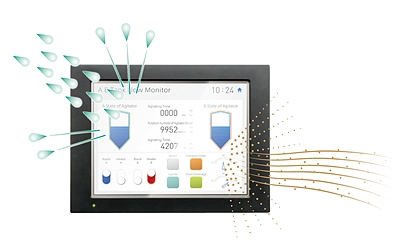
Simply coveredBox:
Open
Power
Standard
Display:
Premium
Advanced
*The UV Protection Sheet that protects a touch panel display from pollution and UV (99% cut) is also available.
|
||||||
 |
||||||
Peace of mind in a harsh environment. Coated models feature more protection from corrosion.Box:
Open
Power
Standard
Display:
Premium
Advanced
|
||||||
 |
||||||
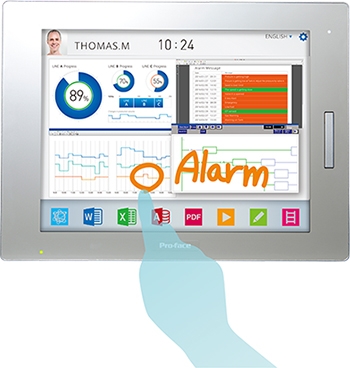
Use handwritten memos for task handoverBox:
Open
Power
Standard
Display:
Premium
Advanced
|
||||||
 |
||||||
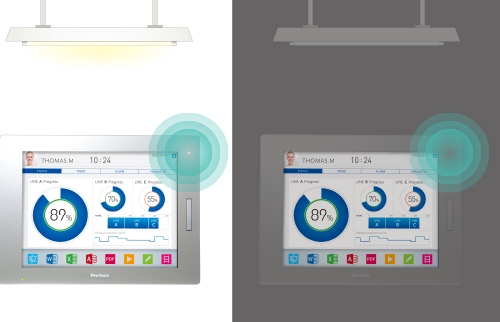
Screen display brightness can be automatically adjustedBox:
Open
Power
Standard
Display:
Premium
Advanced
|
||||||
 |
||||||
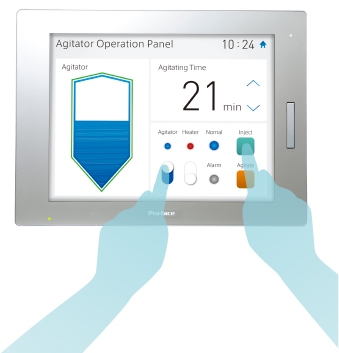
Capable of operation that prevents misoperationBox:
Open
Power
Standard
Display:
Premium
Advanced
|
||||||
 |
||||||
Interface Basic Features |
||||||
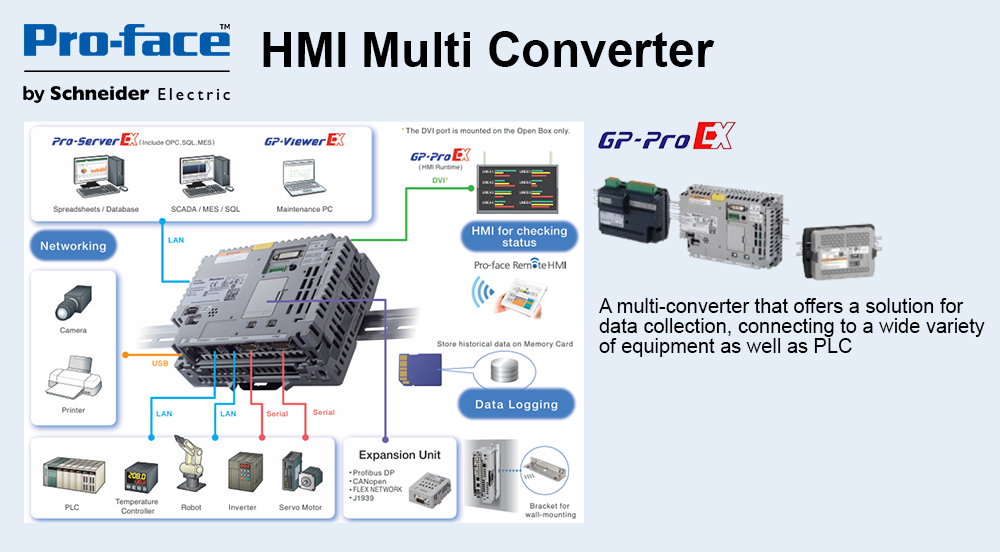
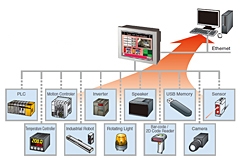
ConnectivityConnect directly to a wide range of devices. From IT network to I/O, connect and visualize with a single unit.
|
||||||
 |
||||||
Connect to a wide range of control equipmentBox:
Open
Power
Standard
Display:
Premium
Advanced
|
||||||
 |
||||||
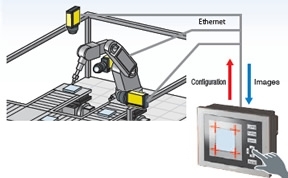
Use Video for On-Site Adjustments with COGNEX In-Sight vision system communication driverIn combination with a COGNEX In-Sight vision system,the settings can be changed when watching images from the cameras on a display unit on site.
* A communication driver supports In-Sight Micro series and In-Sight 5000 series.
* You can view video images from up to 3 cameras on a single screen. Up to 16 cameras can be connected to GP.Display position (X/Y), exposure time, focus, lighting and brightness can be adjusted on GP. |
||||||
 |
||||||
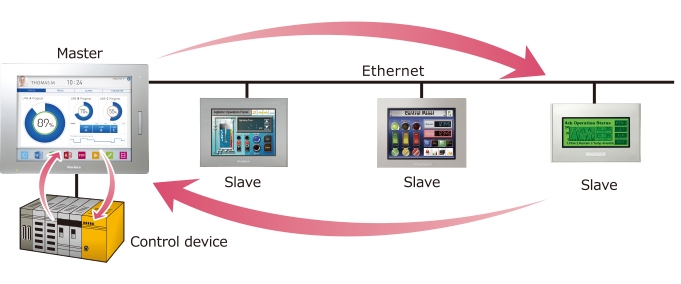
Ethernet Multi-Link functionThe Ethernet Multi-Link function allows you to easily add a display unit as a sub-display to the facility without changing any settings of the control device.
|
||||||
 |
||||||
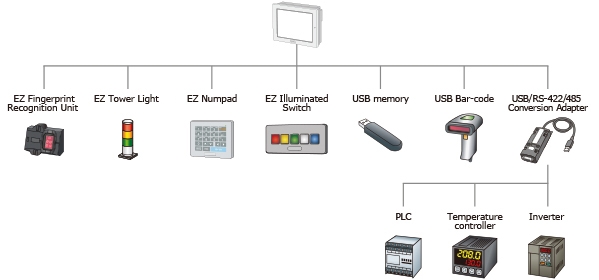
Easily connect multiple USB devicesA controller with serial interface, EZ Series accessory unit, bar code reader, and USB flash drive can be easily connected to the display unit.
*EZ Fingerprint Recognition Unit also requires power supply cable.
*Except for serial devices via USB-RS422/485 conversion adapter, multiple devices of the same model cannot be connected. |
||||||
 |
||||||
Indicate status of not displayed screens for each line or machineEZ Illuminated Switch can be set to indicate alarm status with different colors according to current status. All alarm histories in the display unit can be checked and operated on one EZ Illuminated Switch. You can check alarm status even when operating another screen or when the display unit is in standby mode.
|
||||||
 |
||||||
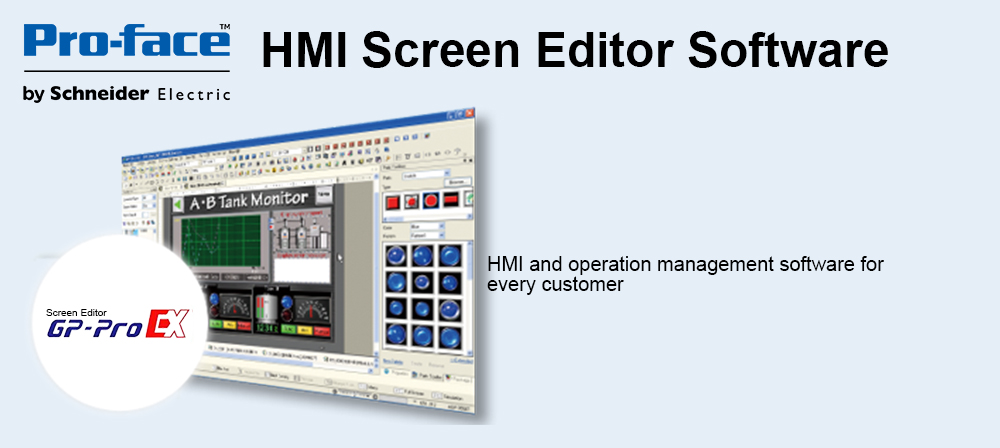
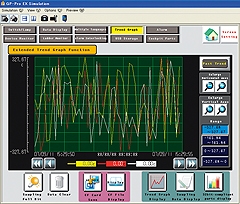
Achieve goals promptly and boost system performance easilyGP-Pro EX delivers a range of advanced functions that allow you to respond promptly to the needs of the ever-evolving manufacturing worksite.
It provides comprehensive programming and log analysis functions to aid the development of more sophisticated systems. |
||||||
 |
||||||
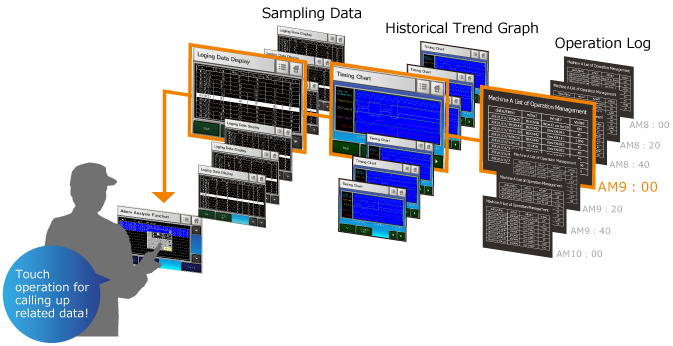
Production loss can be minimized with "Alarm Analysis" functionWhen an error occurs, an operator can easily seek and check the condition on-site, just by touching the alarm message to call up various error-related data in chronological order. An alarm analysis screen with timing chart of alarm-related device addresses can be simply configured only through a few steps on GP-Pro EX software for easy troubleshooting, debugging and/or design changes of production equipment to reduce downtime for enhanced productivity.
|
||||||
 |
||||||
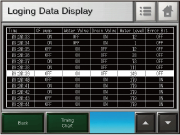
Sampling Data - Collecting various data during productionTemperature, voltage, and other desired address values can be stored in the memory. Data and times can be confirmed on the sampling display.
|
||||||
 |
||||||
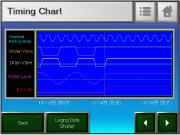
Historical Trend Graph - Displaying data in an easy-to-see graphThe change in the collected data over time is displayed in an easy-to-understand form with a graph. The graph can be traced back to see the past data.
|
||||||
 |
||||||
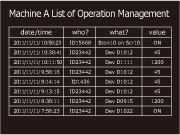
Operation Log - Recording the operator's operationOperations are saved to a log, so you can see who did what, and when. The log can also be used for a trend analysis of erroneous operation of operators.
|
||||||
 |
||||||
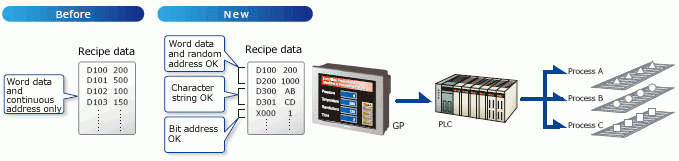
Line setting changes can be performed smoothly with "Enhanced Recipe function"With the conventional recipe function, all recipe data must be stored at continuous addresses.
The new recipe function allows writing random addresses and multiple data formats as a recipe. *Data at discontinuous addresses or in different formats can be processed all at once.
(* GP-4*01TW and GP-4401WW don't support the sort/ search feature.) |
||||||
 |
||||||
Alarm History Banner DisplayLong alarm messages are automatically scrolled and displayed so their details can be checked.
|
||||||
 |
||||||
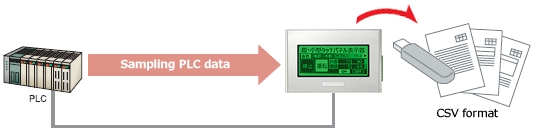
Output of sampling data in a CSV formatThe data (sampling data) sampled by sampling feature is saved in CSV format on an USB storage device. This improves the efficiency of preparing daily and monthly reports.
|
||||||
 |
||||||
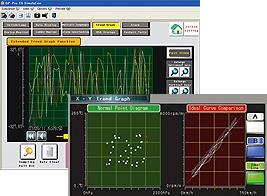
Analyze problem causes easily with historical trend graphsGP-Pro EX provides the ability to display error logs in graph form, making it easy to analyze the causes of a problem. Supported features include enlarged/reduced display, auxiliary line display for upper and lower limits, and XY scatter graphs.
|
||||||
 |
||||||
Manage operation log dataBox:
Open
Power
Standard
Display:
Premium
Advanced
*Log more information in operator history data to track changes.
|
||||||
 |
||||||
Configure detailed security settings for each userGP-Pro EX lets you configure detailed authorization settings by setting different passwords and security level IDs for each part.
|
||||||
 |
||||||
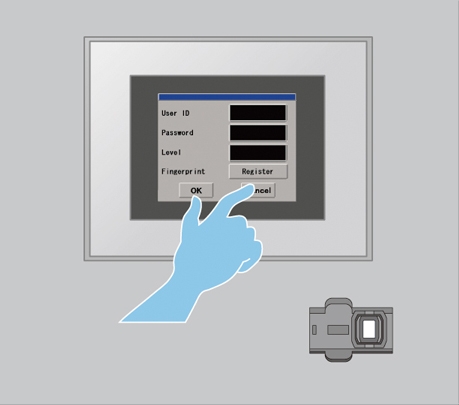
Change security settings from an HMI during operationPassword configuration, fingerprint authentication, and other security settings can be performed on a local display unit even while the machine is running.
|
||||||
 |
||||||
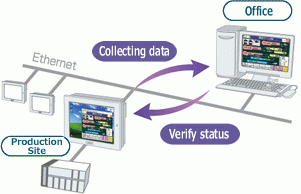
"GP-Viewer EX" - View and operate a remote GP from an office PCBox:
Open
Power
Standard
Display:
Premium
Advanced
* A separate license must be purchased.
|
||||||
 |
||||||
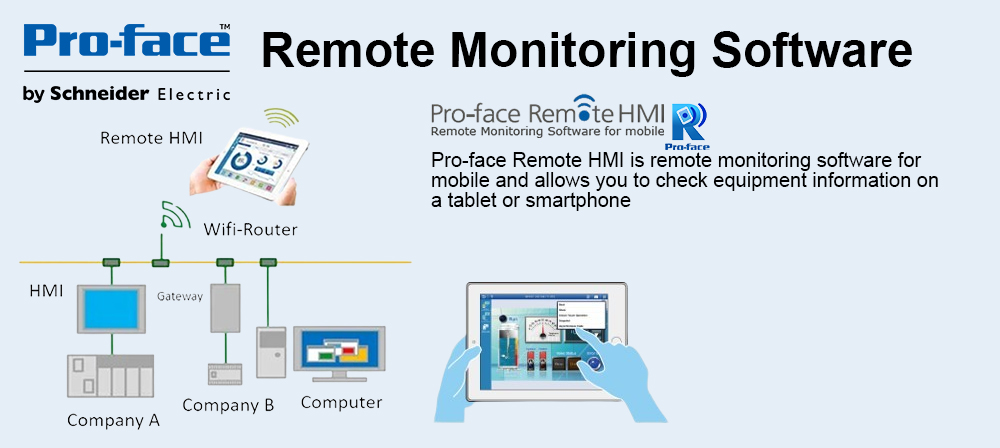
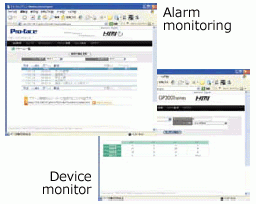
"Web Server" - View the information of alarms and device addresses on a browserRemote monitoring and maintenance can be done from office viewing the information of alarms and device addresses on a browser. Additionally, alarm notifications can be sent in real-time through RSS feeds.
|
||||||
 |
||||||
Easy Screen Creation |
||||||
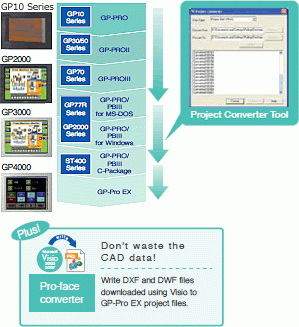
Leverage existing assetsGP-Pro EX supports screens made using all models as far back as the original model GP510 Series.
Data created in GP-PRO/PBIII for Windows or later versions can be converted instantly in Project Converter. |
||||||
 |
||||||
Convert entire projects with Project ConverterGP-Pro EX supports screen data made using all models as far back as the original model GP510 Series. Upgrading to the latest models is a smooth process as GP-Pro EX's Project Converter can be used to directly convert data created with GP-PRO/PBIII for Windows or later versions.
|
||||||
 |
||||||
Change display sizes easily with Resolution ConverterGP-Pro EX's Resolution Converter automatically converts project files into different resolutions. This significantly reduces man-hours associated with changing display sizes.
|
||||||
 |
||||||
Batch Part Converter can change all shapes on a screen at once to bring back old screensGP-Pro EX lets you batch convert parts of differing shapes. This makes it possible to easily renew images in project files made in the past.
|
||||||
 |
||||||
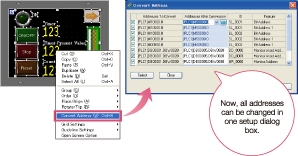
Create similar screens in next to no time using batch converting addresses of selected partsWith GP-Pro EX you can convert selected part addresses as a block. This gives you the ability to create similar screens quickly.
|
||||||
 |
||||||
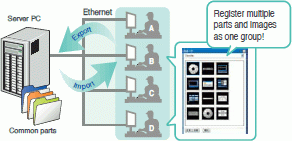
Sharing Images and Parts for using existing Parts and graphics you have createdParts and graphics you have created can be registered as a package. Save the packages to a server to share them among designers.
|
||||||
 |
||||||
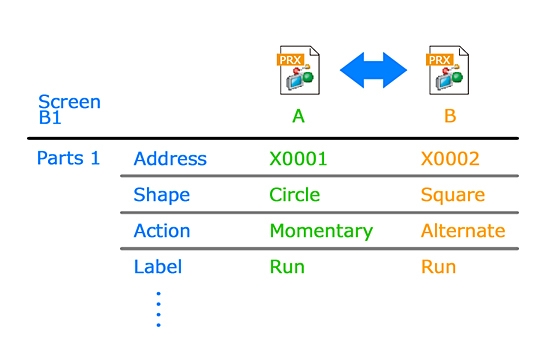
Quickly understand detailed differences between similar project filesProject Comparison Tool allows easy yet detailed comparison of two screen-project files for updating and modifying customer applications. Differences for each part attribute, alarm message, or setup item are displayed.
|
||||||
 |
||||||
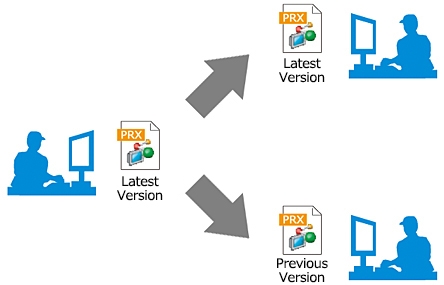
Multi-version File Format Support for Screen Project FilesScreen project files edited in the latest version of GP-Pro EX can also be saved in the previous version format to facilitate screen data handling among personnel with different responsibilities such as testing engineers, factory installation technicians, and maintenance engineers.
|
||||||
 |
||||||
SRAM Data Retention during Screen Data UpdateYou can select to reset or to retain saved variable data in SRAM upon updating screen data.
|
||||||
 |
||||||
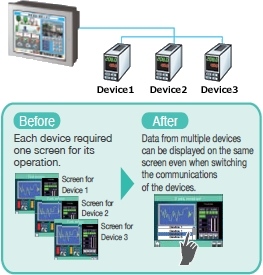
Indirect Device Setting – Only one screen can communicate with multiple devicesOnly one screen is required to communicate with multiple devices. It allows you to reduce time for screen design.
|
||||||
 |
||||||
Anyone can design beautiful, realistic screensBox:
Open
Power
Standard
Display:
Premium
Advanced
Naturally, a wide range of free sample screens are also available. Pro-face's beautifully designed samples are produced with user-friendliness in mind and are sure to gain a solid reputation amongst worksite operators. |
||||||
 |
||||||
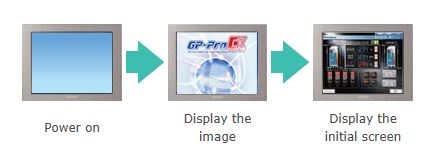
User Original Start ScreenBox:
Open
Power
Standard
Display:
Premium
Advanced
*Except for SP5000 Series Open Box
|
||||||
 |
||||||
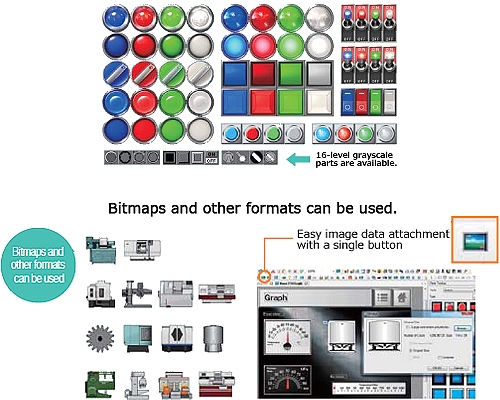
Realistic 3D parts that look just like the real thingBox:
Open
Power
Standard
Display:
Premium
Advanced
|
||||||
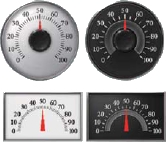
MetersBox:
Open
Power
Standard
Display:
Premium
Advanced
|
||||||
 |
||||||
Switches/LampsCan be visually checked like real switches and lamps. It increases the added value of your screens.
|
||||||
 |
||||||
Add movement with animation feature to make parts even more realisticBox:
Open
Power
Standard
Display:
Premium
Advanced
|
||||||
 |
||||||
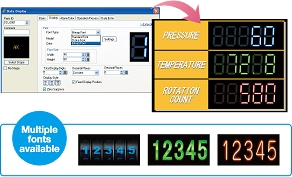
Display numerical data in style with bitmap fontsBox:
Open
Power
Standard
Display:
Premium
Advanced
|
||||||
 |
||||||
Use image fonts to expand design possibilities with Windows fontsGP-Pro EX lets you create stylish screens using Windows fonts. Multiple languages are supported and fonts can be applied to data displays, text tables, alarms and a variety of other functions.
|
||||||
 |
||||||
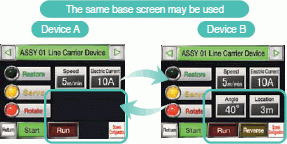
Display/Hide parts saves development timeControl part visibility by device or operator. Save development time and reduce project file size. This can reduce man-hours since separate screens do not need to be created.
|
||||||
 |
||||||
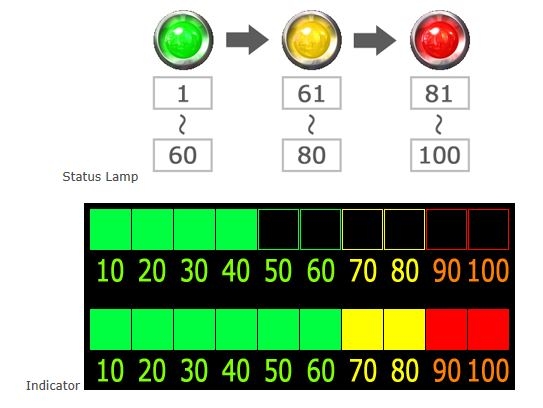
Word Data Range Setting on Lamp DisplayDisplay status of a lamp can be set according to pre-configured data range.
|
||||||
 |
||||||
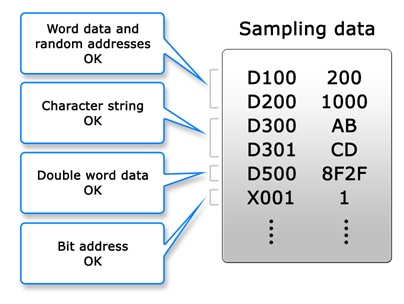
Sampling in different device formatsText, bits, and variables that could only be set for devices as numeric values can now be mixed. Connected devices + internal addresses can also be set.
|
||||||
 |
||||||
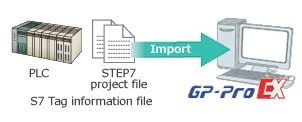
Utilize Siemens PLC's tag and improve efficiencyBox:
Open
Power
Standard
Display:
Premium
Advanced
Tag Import
See the following manual for the data type which can be imported.
|
||||||
 |
||||||
Much easier-to-understand icon designThe icon design of GP-Pro EX is easier to understand. You can quickly find what you want from many icons and improve work efficiency.
|
||||||
 |
||||||
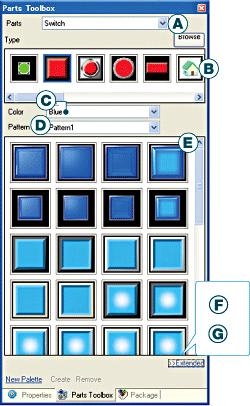
Find the parts you want immediately Parts ToolboxGP-Pro EX's Parts Toolbox lets you narrow quickly find the parts you need. You always know what parts you are using at any given moment, which makes screen design more efficient.
|
||||||
 |
||||||
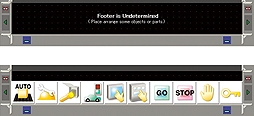
Headers and footers for immediate access to frequently used screensGP-Pro EX lets you register screen elements that are frequently used at the top or bottom of a screen and call them up in a project.
|
||||||
 |
||||||
Text Search/Replace FunctionIt is now possible to search for or find and replace text data in screen projects.
|
||||||
 |
||||||
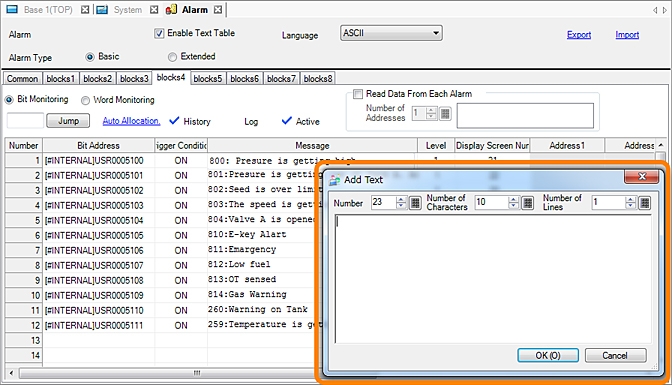
Direct alarm message input for multi-language settingYou can register multi-language text to text tables in alarm settings for even more efficient screen editing.
|
||||||
 |
||||||
Searching/sorting alarm and sampling historyEasy ascending/descending sorting and conditional search using symbols such as =, > or < of Alarm Part and Sampling Display.
|
||||||
 |
||||||
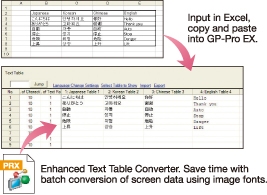
Text tables support multiple languages for use anywhere in the worldBox:
Open
Power
Standard
Display:
Premium
Advanced
|
||||||
 |
||||||
Programing function relieves PLC memory burdenGP-Pro EX supports logic programs, which let you create programs in a familiar ladder program format, and D-Script, a proprietary scripting language that offers similar functionality to sophisticated programming languages. This lowers the burden placed on the PLC and enables high-level screen design.
|
||||||
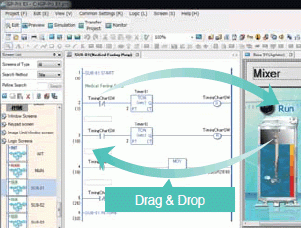
Logic Program - Program with a familiar ladder languageScreens and logic programming can be edited with the same software, so editing between parts and logic elements can be performed via drag and drop. Controller addresses can be directly written, allowing you to reduce development time.
*The online editing function allows you to make program changes on a computer during operation. You can make changes in a program without stopping operation - even while the control function is in operation. This enables work efficiency at startup and during maintenance.
|
||||||
 |
||||||
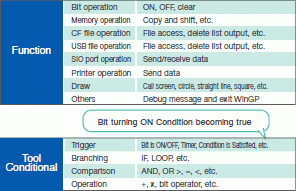
D-Script - Create programs with our unique simplified languageConfigure these settings based on trigger conditions including "Continuous Action", "Timer Bit Change", and "Condition Satisfied". Many functions are also provided including search
(search and replace strings in the script) and debug functions (display messages and addresses on the unit). D-Scripts created with GP-PRO/PBIII can be used unmodified so replacement is a breeze. |
||||||
 |
||||||
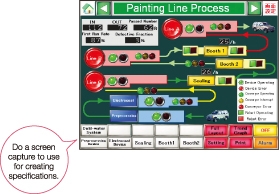
GP-Pro EX Simulation – A solid reputation for user-friendlinessWith GP-Pro EX you can simulate connection with a PLC on your PC, even if you don't have a display or PLC. The simulation function also supports Mitsubishi Electric PLCs.
|
||||||
 |
||||||